
Practice Your Next Presentation Where You Will Deliver It
You have a presentation, interview, or product demo coming up. You know the material, but you want to hear how it sounds before someone else does. A useful practice tool should let you record a short answer, show where you rushed or relied on filler words, and make the next attempt easy.
Orai offers speech feedback on the web and in its mobile apps. If you want guided scenarios and a daily practice routine, that breadth may suit you. If you are searching for an Orai alternative because you want to rehearse a specific work moment right now, SpeechOptimizer gives you a more focused starting point: two browser-based guest takes, no account or credit card, and a direct comparison of what changed. Keep your notes or slide deck beside the recorder and practice the message you will actually deliver.
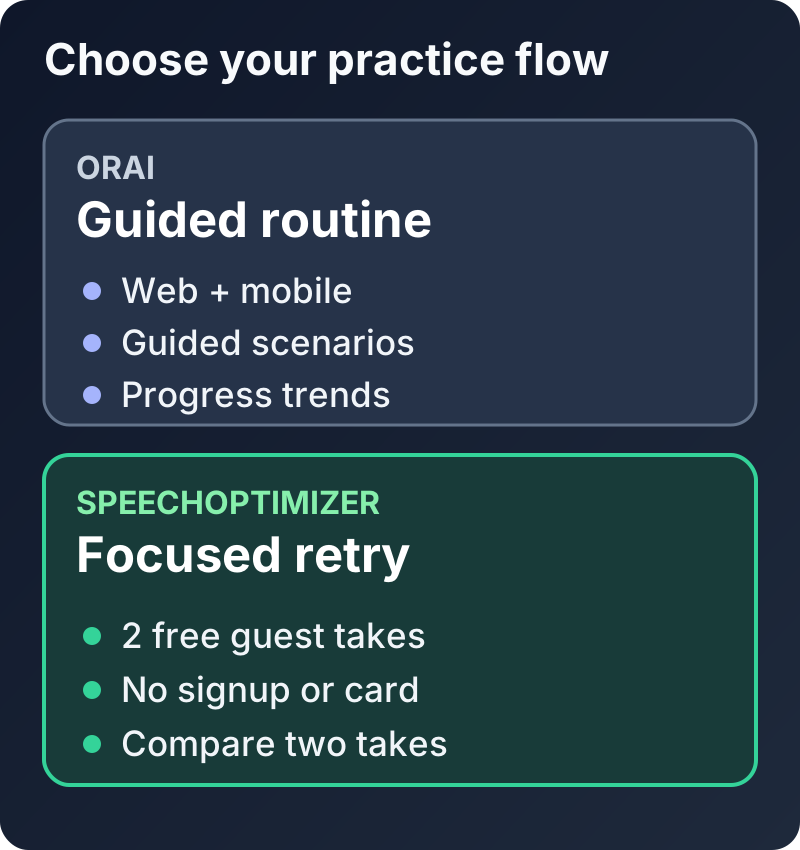
Orai supports a guided routine; SpeechOptimizer makes it easy to record and compare two focused guest takes.
What to Look for in an Orai Alternative
The best tool depends on the practice you want to do today. For a short work rehearsal, these four questions matter more than a long feature list.
1. Can You Start a Real Practice Take Right Away?
SpeechOptimizer lets a guest record two full takes without an account or payment card. That is useful when you have ten minutes before a meeting and want feedback on your own answer, not a new practice plan to set up.
Orai also provides free browser tools and speech coaching on the web. Its Pro trial currently lasts seven days and requires a card. Check the current terms if a longer guided routine is what you need.
2. Can You See What to Change on Take 2?
Orai reports delivery signals such as filler words and pace and offers a coaching tip. SpeechOptimizer centers the next attempt: review timestamped transcript evidence, choose one primary challenge, then compare your second take with the first. The comparison helps you check whether the particular behavior you practiced changed.
3. Does the Workflow Fit Your Presentation Setup?
Both products can be used on the web. SpeechOptimizer's guest flow is especially suited to keeping your deck or interview notes open beside it. Its audio-focused rehearsal does not ask you to set up a camera; your attention stays on the words, pauses, and pace you can adjust on the next take.
4. Are the Audio Choices Clear?
SpeechOptimizer deletes guest source audio after analysis. Signed-in takes use the same default unless you choose to save the audio. See our privacy policy for the processing and retention details.
Orai says recordings made in its app may be stored in its cloud, while recordings made with its standalone browser recorder tools stay on the device; its privacy policy describes deletion options. For confidential work, practice with a sanitized script when the sensitive details are unnecessary.
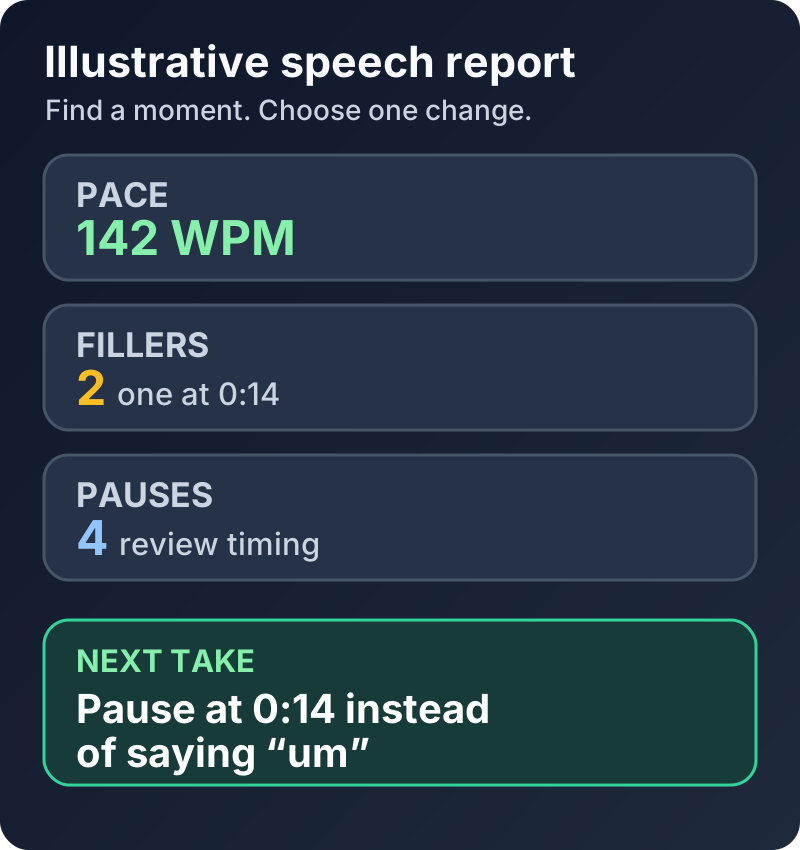
Illustrative SpeechOptimizer report: review timestamped filler words and pace before choosing a specific retry target.
Head-to-Head: SpeechOptimizer vs. Orai
Orai is a strong fit for guided scenarios, streaks, and progress trends across web and mobile. SpeechOptimizer is built for the shorter loop of recording a work-specific answer, acting on one challenge, and checking a second take.
Here is the comparison most relevant to that workflow:
| Comparison Area | Orai | SpeechOptimizer (Our Platform) |
|---|---|---|
| Where you practice | Web, iOS, and Android | Desktop and mobile browser |
| Starting without a card | Free browser tools; Pro trial requires a card | Two full guest takes, no signup or card |
| Practice format | Guided scenarios and ongoing practice | Record a work-specific answer, then retry it |
| Delivery feedback | Filler words, pace, clarity, energy, and a coaching tip | Timestamped transcript, pace, fillers, and pauses |
| Reviewing progress | Streaks and progress trends | One primary challenge and side-by-side takes |
| Source audio choices | App audio may be cloud-stored; deletion is available | Guest audio deleted after analysis; opt-in retention for signed-in users |
Product details reviewed against Orai's product page, pricing page, and privacy policy on September 21, 2026. SpeechOptimizer publishes this comparison; features and terms may change.
Why We Built SpeechOptimizer for the Browser
We built SpeechOptimizer around a short, repeatable work rehearsal:
- Start as a guest: Record two takes in the browser without signing up or entering a card.
- Keep your material in view: Put your slide deck or talk outline beside SpeechOptimizer and practice a real section of it.
- Focus the retry: Review the transcript and delivery signals, then use one primary challenge for Take 2. For a deeper drill, see how to stop saying um or how to slow down when speaking.
The Two-Take Rehearsal Method
Focused rehearsal is easier to act on when you repeat a short section. Record it, inspect one issue, and try the same section again while the detail is fresh.
That is the Two-Take Loop in SpeechOptimizer:
- Record Take 1 (Your Raw Baseline): Pick a 60-to-90-second slice of your presentation. Don't read a script word-for-word; speak from your bullet points just like you will in the real room. Hit record, stumble if you have to, and finish the thought.
- Review the Evidence: Look at your transcript, speaking pace, filler words, and pauses. A number alone is not the goal; identify a moment you can change.
- Choose One Challenge: For example: "On Take 2, I will pause after my main claim instead of filling the transition with 'so basically'."
- Record Take 2 and Compare: Repeat the same section and review the reports side by side. If the filler count or pacing changed, you can see where. If it did not, you have a clearer target for another practice session. The illustration below shows a hypothetical example, not a promised result.
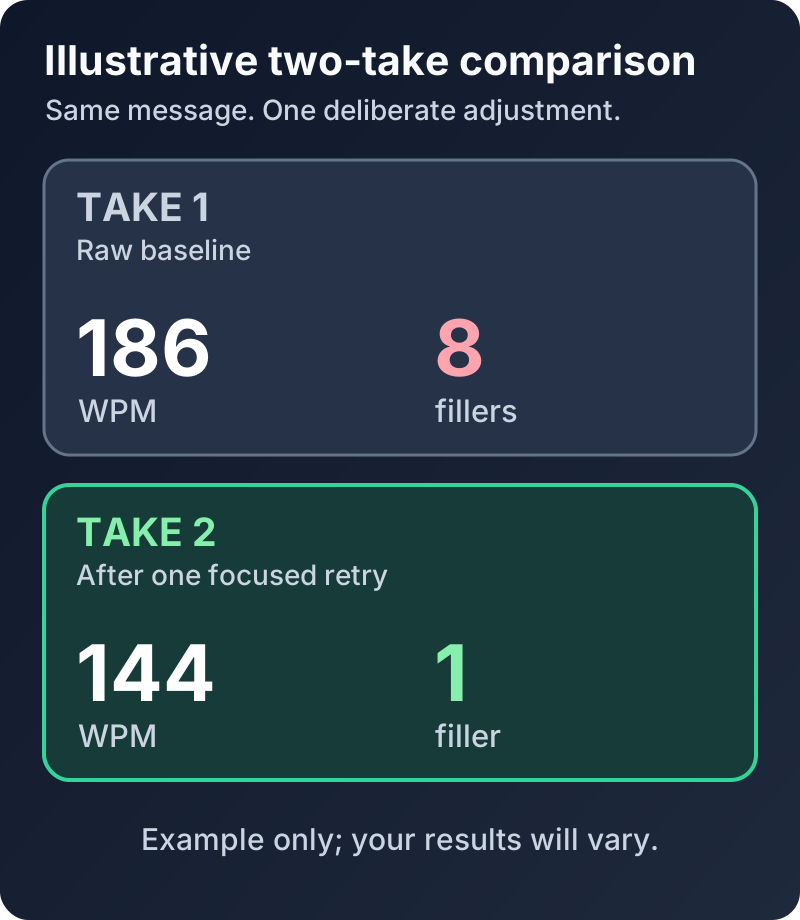
Illustrative two-take comparison: check whether the change you practiced appears in your second recording.
If you want to build this into a permanent habit, read our guide on how to speak confidently.
3 Things Most Speakers Get Wrong When Practicing Solo
AI feedback is most useful when you treat it as practice evidence, not a score for your personality. Watch for these three traps:
Trap 1: The "Zero Filler" Obsession
Filler words are acoustic place-markers. When you are formulating an idea, your brain instinctively wants to hold the floor while it finds the right word.
If you try to wipe out every single "um" or "ah," you end up sounding like a synthesized automated phone attendant. Real communicators use occasional fillers. The goal is to eliminate distracting chains (e.g., "and, um, so, like, basically"), not to sound like a machine.
Trap 2: Believing There Is One "Correct" Speaking Speed
One speaking rate cannot suit every audience or message.
When you share an exciting project breakthrough, talking at 160 WPM brings natural energy and momentum. When you explain a complex architecture migration or announce a budget cut, dropping down to 125 WPM gives people time to absorb the weight of the information. Good pacing is about intentional contrast, not hitting a rigid robotic average.
Trap 3: Rehearsing in Your Head Instead of Out Loud
Thinking through a talk can help you plan, but it does not show how the words sound when spoken.
When you practice in silence, your thoughts feel crisp. The moment you open your mouth, you realize your tongue trips over the acronyms and your breath support runs out halfway through the second sentence. If you didn't say it out loud into a microphone, it didn't count as rehearsal.
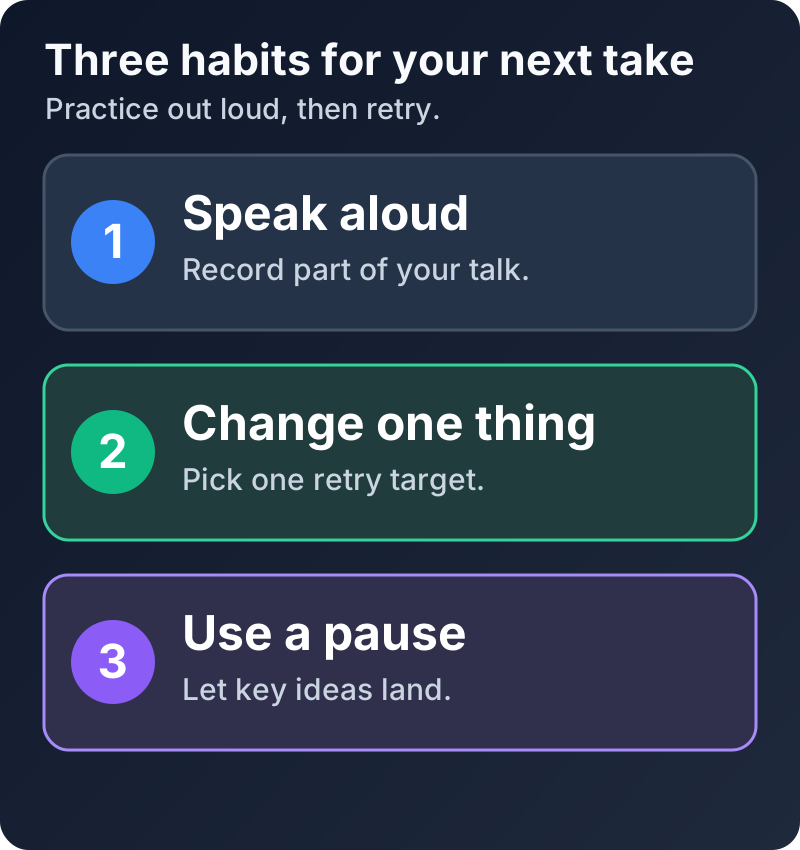
Speak aloud, change one behavior on the next take, and use a deliberate pause before a key point.
Frequently Asked Questions
What is the most practical Orai alternative for working professionals?
For professionals who want to rehearse a specific presentation or interview answer right away, SpeechOptimizer is an Orai alternative with two free guest takes, no account or credit card, and a side-by-side comparison of delivery signals. Orai also supports browser practice and is a good fit if you prefer guided scenarios and a longer training routine.
Can I try SpeechOptimizer without entering a credit card or signing up?
Yes. You can visit the SpeechOptimizer homepage and complete two full practice takes with side-by-side feedback immediately. No email, no password, and no credit card required.
Do I need a camera to practice with SpeechOptimizer?
No. SpeechOptimizer uses your microphone for speech practice and focuses its feedback on what you said and how you delivered it. You can keep your camera off and your deck open beside the recorder.
Can I practice with Orai in a web browser?
Yes. Orai supports web practice as well as iOS and Android. The difference emphasized here is SpeechOptimizer's no-signup, no-card two-take guest flow for a specific work message.
What happens to my voice data after I finish a take?
Guest source audio is configured for deletion after analysis. Signed-in source audio is also deleted by default, unless you choose to retain it; transcripts and reports may remain in account history. Audio and derived text may be sent to the service providers that perform the requested analysis. We do not sell speech recordings or use your voice to train AI models. Review our privacy policy for details.
The Bottom Line
Orai offers guided scenarios, coaching tips, and progress tracking on the web and on mobile. Those features suit a structured practice routine.
If you need to rehearse a work-specific message today, SpeechOptimizer gets you to the first recording without a signup or card. Its timestamped feedback and direct two-take comparison keep the next action clear.
Try two free takes with SpeechOptimizer, or read our feedback methodology to see exactly what the analysis measures.